ISS Alert
Stays quiet until the space station passes near you. Then a pseudo 3D ISS slides across a twinkling starfield, hangs overhead with live distance, and drifts off the far edge as it leaves.
By maxswinkels · ▲ 0 · Rate and Discuss
How It Works
Stays quiet until the space station passes near you. Then a pseudo 3D ISS slides across a twinkling starfield, hangs overhead with live distance, and drifts off the far edge as it leaves.
Download and extract the complete app folder. Keep its files together; some apps include additional modules, assets, or configuration examples.
Review app.py and any configuration examples for this app’s options, then run it from the extracted folder:
python3 app.pyConnect BUSY Bar over USB, or use the connection options supported by this app. See the official HTTP API documentation for device setup.
Source Files
These are the mirrored source bytes. The complete package also includes every asset and supporting file.
app.py
#!/usr/bin/env python3
"""ISS alert: stays quiet until the space station passes near you, then counts it down.

    python3 app.py [--host 127.0.0.1:8080] [--lat 52.37] [--lon 4.89] [--test]
"""
import argparse
import json
import math
import sys
import time
import urllib.error
import urllib.parse
import urllib.request

APP = "iss-alert"
ISS_URL = "https://api.wheretheiss.at/v1/satellites/25544"

# State thresholds (km)
FAR       = 1500
NEAR      = 700


def parse_args():
    p = argparse.ArgumentParser(description="ISS alert for BUSY Bar")
    p.add_argument("--host", default="10.0.4.20")
    p.add_argument("--lat", type=float, default=52.37)
    p.add_argument("--lon", type=float, default=4.89)
    p.add_argument("--interval", type=int, default=30, help="seconds between position checks (default: 30)")
    p.add_argument("--test", action="store_true")
    return p.parse_args()


# ---------------------------------------------------------------------------
# HTTP helpers
# ---------------------------------------------------------------------------

def _base(host):
    host = host.replace("http://", "").replace("https://", "").rstrip("/")
    return "http://" + host


def _draw(host, elements, led_notification_color=None):
    """POST /api/display/draw. Returns (status_code, body_text)."""
    body = {
        "application_name": APP,
        "priority": 60,
        "elements": elements,
    }
    if led_notification_color is not None:
        body["led_notification_color"] = led_notification_color
    data = json.dumps(body).encode("utf-8")
    req = urllib.request.Request(
        _base(host) + "/api/display/draw",
        data=data,
        method="POST",
        headers={"Content-Type": "application/json"},
    )
    try:
        with urllib.request.urlopen(req, timeout=8) as r:
            return r.getcode(), r.read().decode("utf-8", "ignore")
    except urllib.error.HTTPError as e:
        return e.code, e.read().decode("utf-8", "ignore")
    except urllib.error.URLError as e:
        raise RuntimeError(f"draw failed: {e}") from e


def _clear(host):
    """DELETE /api/display/draw?application_name=..."""
    qs = urllib.parse.urlencode({"application_name": APP})
    req = urllib.request.Request(
        _base(host) + "/api/display/draw?" + qs,
        method="DELETE",
    )
    try:
        with urllib.request.urlopen(req, timeout=8) as r:
            return r.getcode()
    except urllib.error.HTTPError as e:
        return e.code
    except urllib.error.URLError as e:
        raise RuntimeError(f"clear failed: {e}") from e


def _fetch_iss():
    """Fetch ISS position from wheretheiss.at. Returns dict with latitude, longitude, altitude, velocity."""
    req = urllib.request.Request(ISS_URL, headers={"User-Agent": "busybar-iss-alert/1.0"})
    with urllib.request.urlopen(req, timeout=10) as r:
        return json.loads(r.read().decode("utf-8", "ignore"))


# ---------------------------------------------------------------------------
# Haversine distance
# ---------------------------------------------------------------------------

def _haversine(lat1, lon1, lat2, lon2):
    """Great-circle distance in km between two (lat, lon) points."""
    R = 6371.0
    phi1, phi2 = math.radians(lat1), math.radians(lat2)
    dphi = math.radians(lat2 - lat1)
    dlam = math.radians(lon2 - lon1)
    a = math.sin(dphi / 2) ** 2 + math.cos(phi1) * math.cos(phi2) * math.sin(dlam / 2) ** 2
    return R * 2 * math.asin(math.sqrt(a))


# ---------------------------------------------------------------------------
# Display elements
# ---------------------------------------------------------------------------

def _rect(el_id, x, y, w, h, color):
    return {"id": str(el_id), "type": "rectangle", "x": x, "y": y, "width": w, "height": h,
            "border_width": 0, "fill": "solid", "fill_colors": [color]}


# Starfield in the sky band (rows 0-7): (x, y, tier) with tier 0 = bright,
# 1 = mid, 2 = dim. Stars twinkle one tier brighter in turn on each redraw,
# and a plus-shaped glint wanders between a few fixed spots.
STARS = [(3, 6, 2), (6, 1, 1), (11, 3, 2), (15, 6, 1), (19, 1, 2), (24, 4, 0),
         (29, 7, 2), (33, 0, 1), (38, 3, 2), (43, 6, 1), (47, 1, 2), (51, 5, 0),
         (55, 2, 2), (59, 7, 1), (63, 0, 2), (66, 4, 1), (69, 2, 2), (70, 6, 0)]
STAR_COLORS = ["#FFFFFFFF", "#969696FF", "#505050FF"]
GLINTS = [(8, 2), (62, 5), (26, 1), (55, 3)]


def _starfield(tick=0):
    els = []
    for i, (x, y, tier) in enumerate(STARS):
        t = max(0, tier - (1 if (i + tick) % 4 == 0 else 0))
        els.append(_rect(f"star{i}", x, y, 1, 1, STAR_COLORS[t]))
    gx, gy = GLINTS[tick % len(GLINTS)]
    els.append(_rect("glint_h", gx - 1, gy, 3, 1, "#787878FF"))
    els.append(_rect("glint_v", gx, gy - 1, 1, 3, "#787878FF"))
    els.append(_rect("glint_c", gx, gy, 1, 1, "#FFFFFFFF"))
    return els


def _iss_sprite(x0):
    """Pseudo-3D ISS, ~22x7 at offset x0: four slanted solar arrays with a
    lit top and shaded bottom half, a truss with a drop shadow, and a module
    stack with a lit side, a shadow side and cyan docking ports."""
    light = "#FFC832FF"
    dark  = "#B46400FF"
    white = "#FFFFFFFF"
    gray  = "#8C8C8CFF"
    cyan  = "#00E5FFFF"
    els = []
    for px in (0, 3, 15, 18):
        for r in range(7):
            off = (6 - r) // 3   # rows shift right toward the top: slanted panels
            els.append(_rect(f"panel_{px}_{r}", x0 + px + off, r, 2, 1, light if r < 3 else dark))
    els.append(_rect("truss", x0 + 2, 3, 17, 1, white))       # truss
    els.append(_rect("truss_shadow", x0 + 3, 4, 15, 1, "#505050FF"))  # truss drop shadow
    els.append(_rect("module_lit", x0 + 9, 1, 2, 5, white))        # module stack, lit side
    els.append(_rect("module_shadow", x0 + 11, 1, 1, 5, gray))        # module stack, shadow side
    els.append(_rect("dock_top", x0 + 10, 0, 1, 1, cyan))        # docking port top
    els.append(_rect("dock_bottom", x0 + 10, 6, 1, 1, cyan))        # docking port bottom
    return els


def _iss_x(distance):
    """Slide the sprite toward the center as the ISS approaches:
    1500 km = far left, 700 km or less = centered."""
    frac = max(0.0, min(1.0, (FAR - distance) / float(FAR - NEAR)))
    return int(2 + frac * (25 - 2))


def _iss_x_depart(distance):
    """Continue from the center off the right edge as the ISS recedes:
    700 km = centered, 1500 km = fully off screen."""
    frac = max(0.0, min(1.0, (distance - NEAR) / float(FAR - NEAR)))
    return int(25 + frac * (72 - 25))


def _build_approach(distance, tick=0):
    """Approach: twinkling starfield, ISS sliding in from the left, one info line."""
    elements = _starfield(tick)
    elements += _iss_sprite(_iss_x(distance))
    elements.append({
        "id": "info_text",
        "type": "text", "text": f"ISS  {int(distance)} KM",
        "x": 36, "y": 9, "font": "small",
        "color": "#FFFFFFFF", "align": "top_mid",
    })
    return elements


def _build_depart(distance, tick=0):
    """Departing: the ISS slides on toward the right edge and off the screen."""
    elements = _starfield(tick)
    elements += _iss_sprite(_iss_x_depart(distance))
    elements.append({
        "id": "info_text",
        "type": "text", "text": f"ISS  {int(distance)} KM",
        "x": 36, "y": 9, "font": "small",
        "color": "#FFFFFFFF", "align": "top_mid",
    })
    return elements


def _build_overhead(distance, velocity, tick=0):
    """Overhead: twinkling starfield, ISS centered, bright cyan info line."""
    elements = _starfield(tick)
    elements += _iss_sprite(25)
    elements.append({
        "id": "info_text",
        "type": "text", "text": f"OVERHEAD  {int(distance)} KM",
        "x": 36, "y": 9, "font": "small",
        "color": "#00E5FFFF", "align": "top_mid",
    })
    return elements


# ---------------------------------------------------------------------------
# State classification
# ---------------------------------------------------------------------------

STATE_FAR      = "far"
STATE_APPROACH = "approach"
STATE_OVERHEAD = "overhead"
STATE_DEPART   = "departing"


def _classify(distance, prev_distance):
    """Determine display state from distance and whether it is shrinking."""
    if distance <= NEAR:
        return STATE_OVERHEAD
    if distance <= FAR:
        if prev_distance is None or distance < prev_distance:
            return STATE_APPROACH
        return STATE_DEPART
    return STATE_FAR


# ---------------------------------------------------------------------------
# Test mode
# ---------------------------------------------------------------------------

def _run_test(host):
    """Simulate a pass with fake distances and the real draw logic."""
    fake_distances = [1800, 1400, 1100, 850, 600, 400, 650, 900, 1600]
    fake_velocity  = 27600.0  # km/h, representative ISS speed

    prev_distance    = None
    on_screen        = False
    led_notified     = False
    prev_state       = None

    for i, distance in enumerate(fake_distances):
        state = _classify(distance, prev_distance)

        if state != prev_state:
            print(f"step {i+1}: distance={distance} km -> state={state}")

        if state == STATE_FAR:
            if on_screen:
                try:
                    _clear(host)
                    on_screen = False
                    led_notified = False
                    print("ISS far away, screen released")
                except Exception as e:
                    print(f"clear error: {e}")
        elif state in (STATE_APPROACH, STATE_DEPART):
            build = _build_approach if state == STATE_APPROACH else _build_depart
            elements = build(distance, tick=i)
            try:
                status, _ = _draw(host, elements)
                if status == 409:
                    print(f"display busy (409), continuing")
                else:
                    on_screen = True
            except Exception as e:
                print(f"draw error: {e}")
        elif state == STATE_OVERHEAD:
            elements = _build_overhead(distance, fake_velocity, tick=i)
            notify_color = None
            if not led_notified:
                notify_color = "#00A8FFFF"
                led_notified = True
            try:
                status, _ = _draw(host, elements, led_notification_color=notify_color)
                if status == 409:
                    print(f"display busy (409), continuing")
                else:
                    on_screen = True
            except Exception as e:
                print(f"draw error: {e}")

        prev_state    = state
        prev_distance = distance
        time.sleep(0.5)

    # Cleanup at end
    if on_screen:
        try:
            _clear(host)
            print("ISS far away, screen released")
        except Exception as e:
            print(f"clear error: {e}")

    sys.exit(0)


# ---------------------------------------------------------------------------
# Main loop
# ---------------------------------------------------------------------------

def main():
    args = parse_args()

    if args.test:
        _run_test(args.host)
        return  # _run_test calls sys.exit(0)

    print(f"iss-alert -> {_base(args.host)}  lat={args.lat} lon={args.lon}  (Ctrl-C to stop)")

    prev_distance  = None
    on_screen      = False
    led_notified   = False   # True after first overhead LED notification per pass
    last_err_msg   = None    # avoid printing the same fetch error repeatedly
    prev_state     = None
    tick           = 0       # advances the star twinkle every redraw

    try:
        while True:
            # Fetch ISS position
            iss = None
            try:
                iss = _fetch_iss()
                last_err_msg = None
            except Exception as e:
                msg = str(e)
                if msg != last_err_msg:
                    print(f"fetch error (reusing previous sample): {e}")
                    last_err_msg = msg

            if iss is not None:
                distance = _haversine(args.lat, args.lon,
                                      iss["latitude"], iss["longitude"])
                velocity = iss.get("velocity", 27600.0)
            else:
                # No fresh data -- keep previous distance to avoid false state changes
                if prev_distance is None:
                    time.sleep(args.interval)
                    continue
                distance = prev_distance
                velocity = 27600.0

            state = _classify(distance, prev_distance)

            if state != prev_state:
                print(f"state change: {prev_state} -> {state}  (distance={int(distance)} km)")

            if state == STATE_FAR:
                if on_screen:
                    try:
                        _clear(args.host)
                        on_screen = False
                        led_notified = False
                        print("ISS far away, screen released")
                    except Exception as e:
                        print(f"clear error: {e}")
            elif state in (STATE_APPROACH, STATE_DEPART):
                build = _build_approach if state == STATE_APPROACH else _build_depart
                elements = build(distance, tick=tick)
                try:
                    status, _ = _draw(args.host, elements)
                    if status == 409:
                        print("display busy (409), continuing")
                    else:
                        on_screen = True
                except Exception as e:
                    print(f"draw error: {e}")
            elif state == STATE_OVERHEAD:
                elements = _build_overhead(distance, velocity, tick=tick)
                notify_color = None
                if not led_notified:
                    notify_color = "#00A8FFFF"
                    led_notified = True
                try:
                    status, _ = _draw(args.host, elements, led_notification_color=notify_color)
                    if status == 409:
                        print("display busy (409), continuing")
                    else:
                        on_screen = True
                except Exception as e:
                    print(f"draw error: {e}")

            # When pass ends (drops back to far), reset so next pass notifies again
            if state == STATE_FAR and prev_state in (STATE_APPROACH, STATE_OVERHEAD, STATE_DEPART):
                led_notified = False

            prev_state    = state
            prev_distance = distance
            tick += 1

            time.sleep(args.interval)

    except KeyboardInterrupt:
        print("\nstopped.")
        try:
            _clear(args.host)
        except Exception:
            pass


if __name__ == "__main__":
    main()
manifest.yaml
name: ISS Alert
author: maxswinkels
description: Stays quiet until the space station passes near you. Then a pseudo 3D ISS slides across a twinkling starfield, hangs overhead with live distance, and drifts off the far edge as it leaves.
tags:
  - info
  - animation
preview: ./preview.gif
Source and Provenance
Source commit: 26b19ba9ce2ba192c45b4c0eadcfad53df42b153
Content SHA-256: 8468af845dbd899ad4d70a2096cf11d80e7883d04c92f496c29c40e7ed593015
Related Apps
Apple Music Winamp
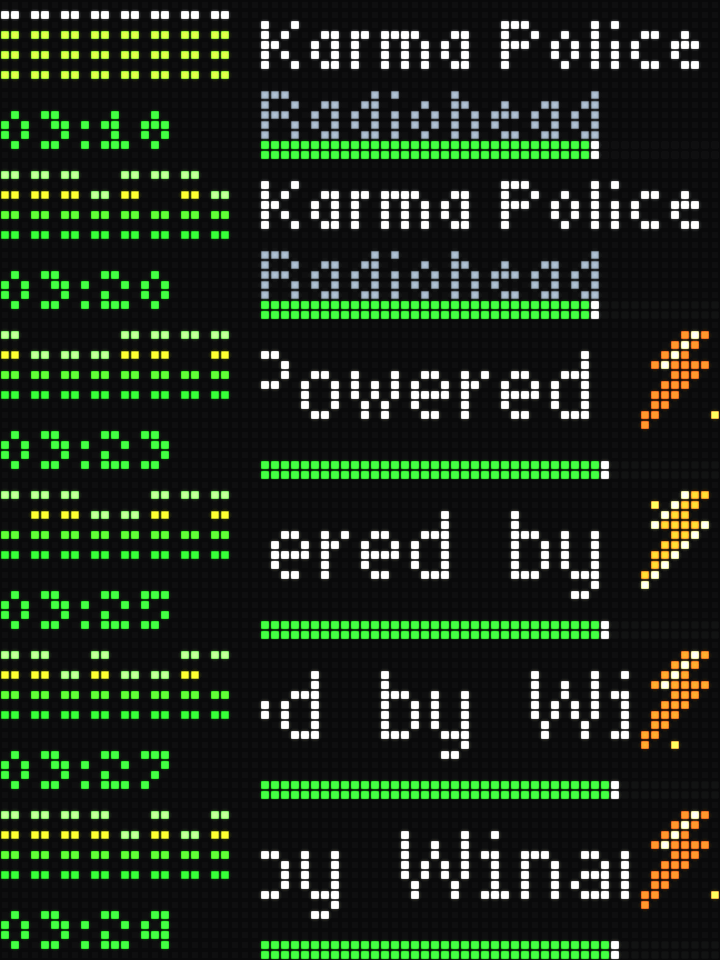
macOS Apple Music controls with song, artist, progress, a time counter, decorative Winamp-style visualizers, and animated lightning credits.
Community mirror

Busy Codex
Live Codex task status, account limits and weekly progress, with a reasoning effort dial and START-button Fast mode control for Codex Desktop and a native-control CLI fork.
Community mirror

Bad Apple
It has a screen? It can play Bad Apple. And yes, with audio, too!
Community mirrorRate and Discuss
Comments and reactions live in this site’s GitHub repository. Sign in with GitHub to participate.